Step 01
Find people
An object detector finds every person in each processed frame.

Turns an ordinary camera view of a dining area into a live service status for every table, and raises an alert when a table is being let down. No sensors, no buttons for staff, no change to the POS.
At a glance
Live service status for every table
01 / The challenge
01
The system has to tell waiters from guests, because a waiter at the table is the proof an order was taken.
02
People stand in front of tables and chairs hide guests. Brief dropouts must not look like guests leaving.
03
Dishes vary by menu, so the system detects that something was placed on the table instead of naming it.
04
A passer-by or a waiter walking past must not start a timer or raise an alert.
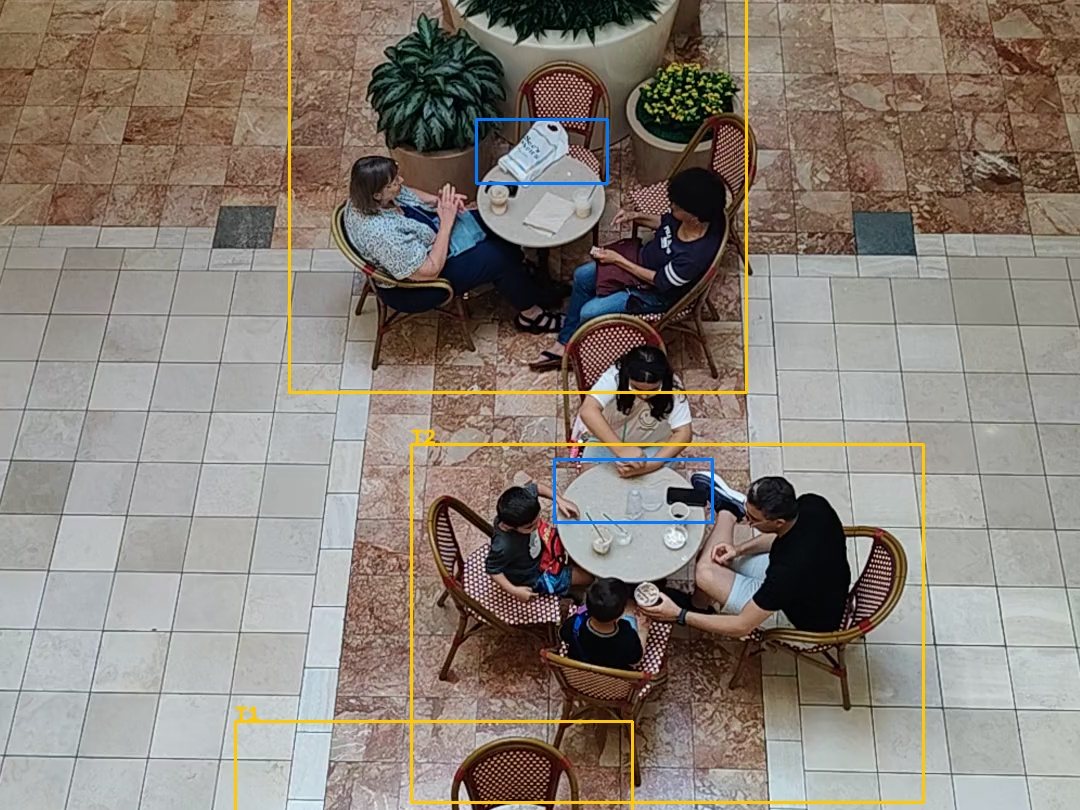
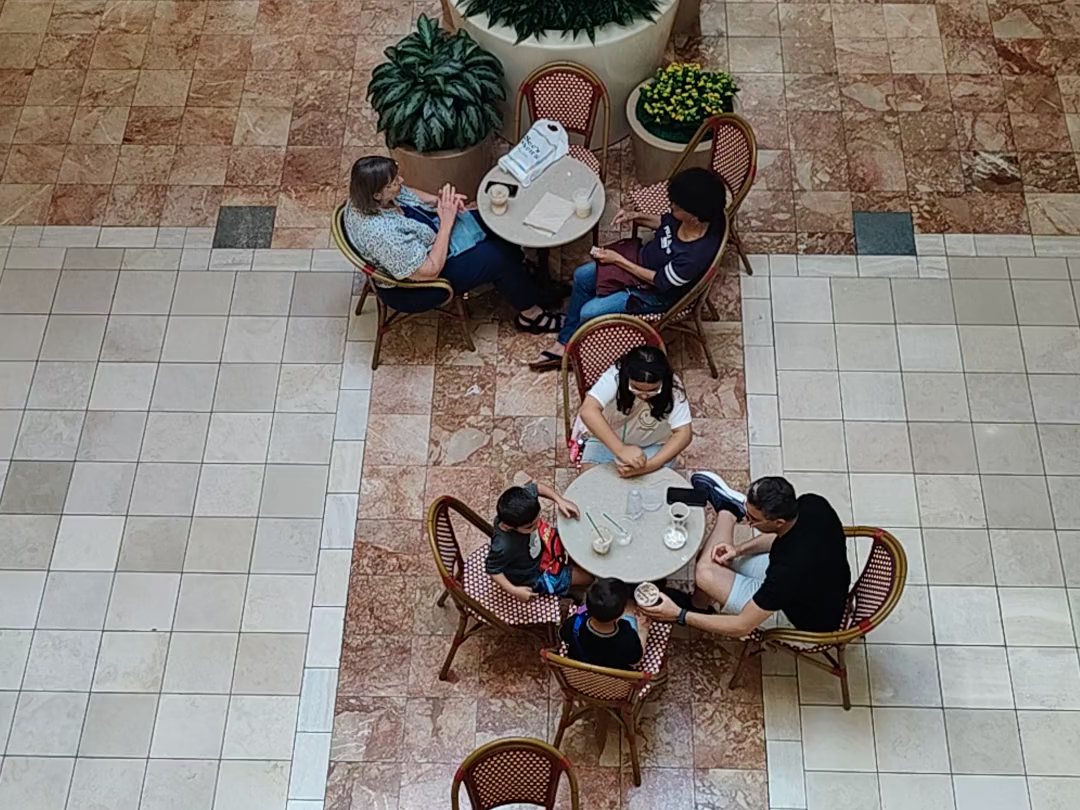
The same tables, before and after tracking · drag to compare
02 / How it works
What happens to each camera frame, from people to table states.
An object detector finds every person in each processed frame.
Each person keeps a persistent id, so nobody is recounted after a brief hidden moment.
A zero-shot model compares each person with descriptions of guests and the site's own uniform.
Change against a clean reference image shows when food or dishes are on the table.
Guest counts and items are smoothed over a few seconds before any state changes.
Each table moves through empty, waiting for order, waiting for food, served and needs cleaning.
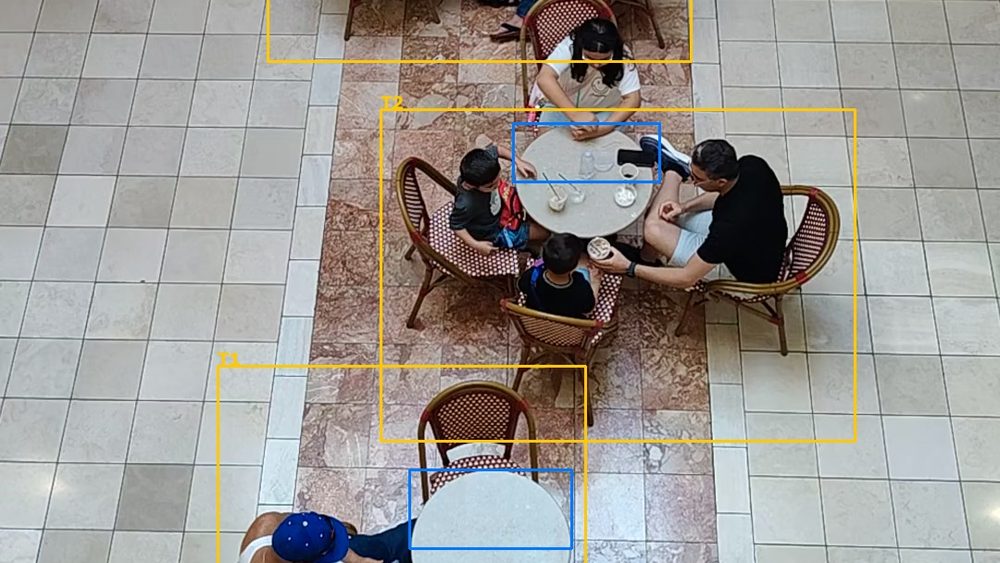
Café floor seen from above, tables tracked by zone.
From the Footage
Every table zone is coloured by its state, with the guest count and the time spent in that state. Guests are boxed in white and staff in blue.
Four guests, and cups on the tabletop.
One guest seated at an empty table, and no staff visit seen yet.
A Table’s Story
Each table runs its own small state machine. A state only changes once the signal has held steady, and the clock starts from when the change really began.
No guests seated and a clear tabletop.
Guests sit and stayGuests are confirmed as seated.
A waiter stays at the tableThe visit counts as the order being taken.
Items appear on the tabletopFood or dishes are on the table while guests sit.
Guests leave, items remainThe table is waiting to be cleared.
Tabletop clear: back to emptyIf food appears without a seen order, the table goes straight to served. Each alert fires at most once per visit, so a table that stays late doesn’t produce a stream of repeats.
One fixed camera view of the dining area is enough. Staff keep working the way they do today, and the camera does the watching.
03 / Alerts
| Alert | Raised when |
|---|---|
| Order not taken | Guests have been seated for a while and no staff visit has been seen |
| Food delayed | The order was taken and no food has appeared in time |
| Left before served | Guests leave while still waiting for an order or for food |
| Table not cleaned | Guests have left and items are still on the table |
| Guests at dirty table | New guests sit down before the table has been cleared |
Every wait time is set in a configuration file, so each restaurant can tune it without touching code. Each alert fires at most once per visit.
What Every Run Produces
01
Every table’s state and how long it has been in it, plus which table is likely to free up next.
02
One annotated image for each alert, showing the table and who was there.
03
Every state change and alert, with its time and table.
04
Guests, staff, tabletop items and state for every table at every processed frame, so any alert can be traced back to its cause.
05
Wait for an order, order to food, time at the table, time to clean, and table turnover.
06
Zones coloured by state, guests and staff boxed, and a running list of recent alerts.
Tested Without Video
The state machine is pure logic with no vision in it, so every rule can be tested without footage. Runs can also be scored against hand-labelled clips: each expected alert must fire on its table in its time window, and anything extra counts against it.
Cases the tests cover
04 / Limits and Next Steps
This is a working prototype tested on stock footage, not yet running in a restaurant. Here is where it stops today.
Items are seen when they are on the table, so a drink held in the hand doesn’t mark a table as served.
Items are found as change from an empty table, so a lighting change or a moved menu can look like food.
A helper proposes each table and its chairs, but it can miss tables, so zones are reviewed by hand.
The staff description is written for each restaurant’s own uniform.
Run on a live camera instead of recorded video.
Send alerts to a manager’s phone or a dashboard, not just a log.
Record a longer clip with real orders and food, label it and score it end to end.
Better automatic table and chair finding, so a new camera is ready faster.
See how Korv Glanz tracks the tables in your own dining room, and what it flags.
Tell us a little about your restaurant and our team will get in touch.