Step 01
Ingest and batch
Up to five RTSP cameras are decoded and batched together, so the GPU processes all of them in one pass.

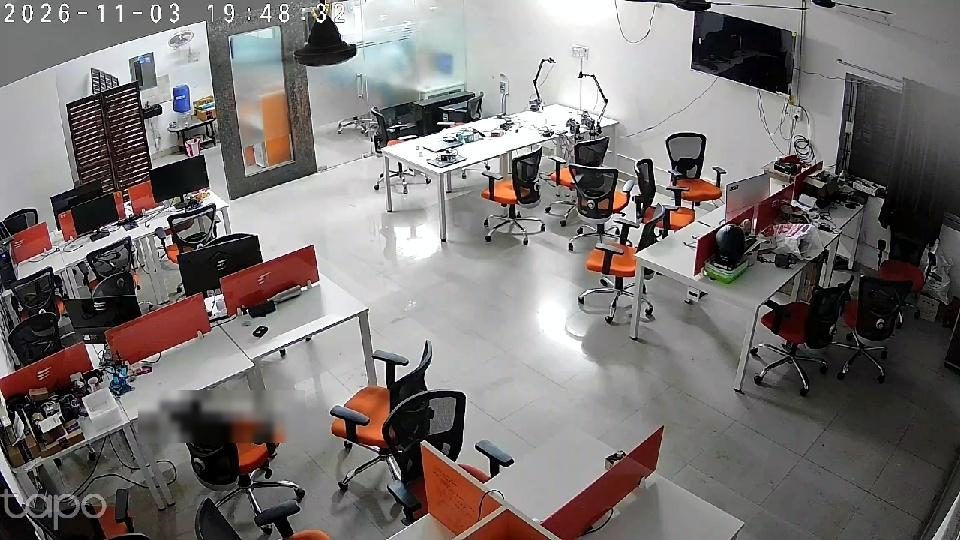
Five ordinary IP cameras and one NVIDIA Jetson running DeepStream watch our own office around the clock. They report the shutter, the glass door, visitors, after-hours movement, lights left on and cameras that go dark, and post each alert with a photo to the team’s Google Chat.
At a glance
A night guard that never looks away
01 / The challenge
An office camera system records everything and tells you nothing. Problems surface the next morning, if anyone thinks to scroll back through the footage.
01
The last person out pulls down the shutter. Nobody else knows whether it went all the way down, or when.
02
The glass door gets propped open for a delivery and stays that way through the afternoon.
03
The floor empties at 7 PM and the lights, fans and AC keep running until the morning.
04
A one-frame detection glitch, a passer-by or a stray dog must not ping the whole team.
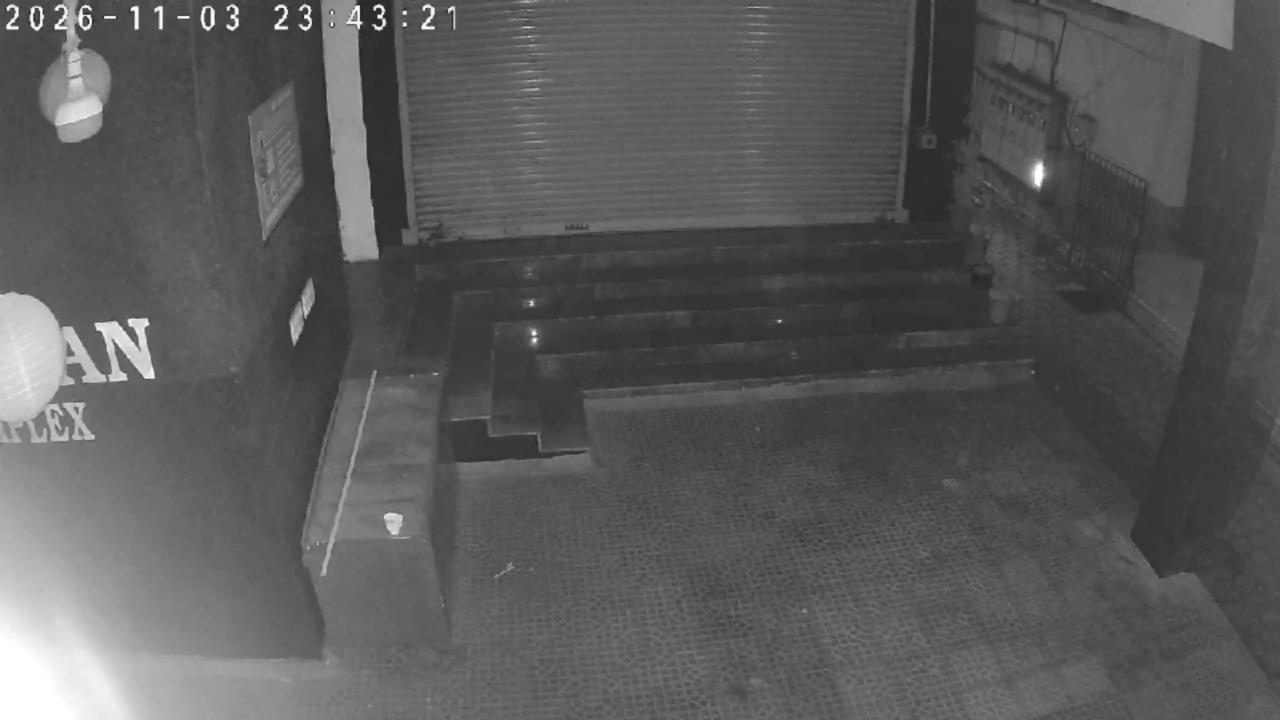
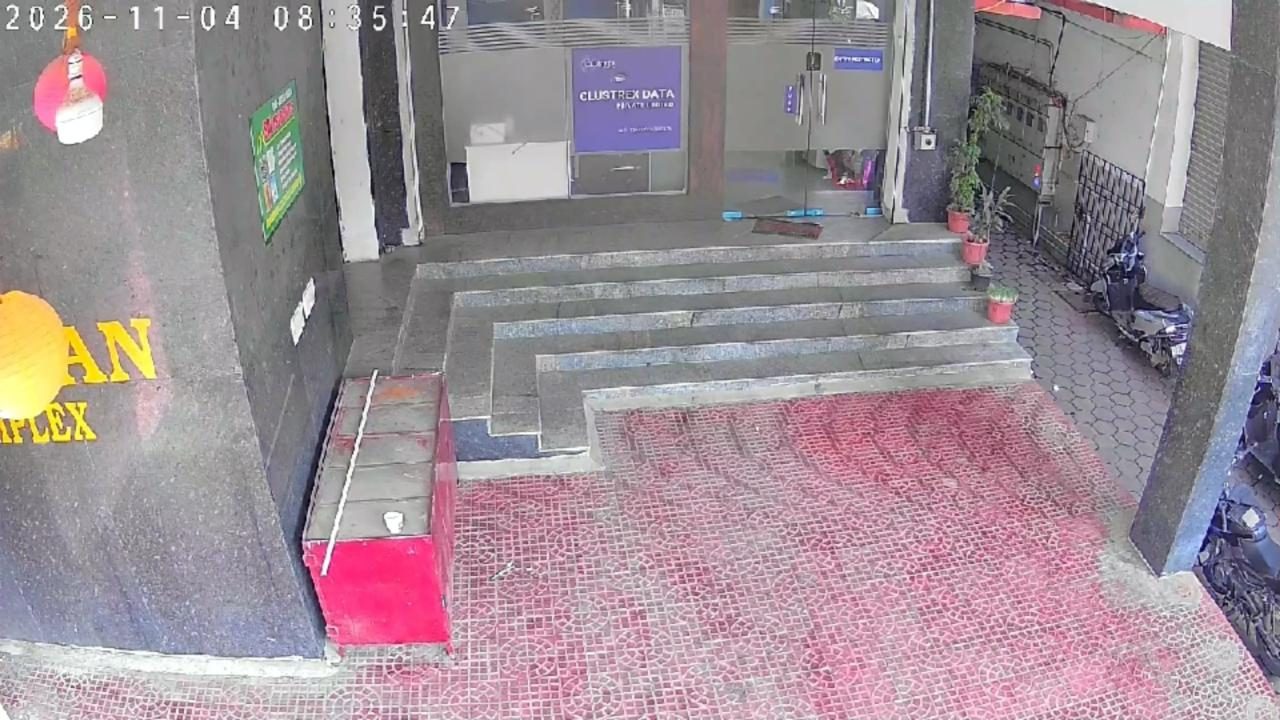
The same entrance camera by day and in infrared at night · drag to compare
02 / How it works
One DeepStream pipeline on the Jetson. Video frames stay in GPU memory from decode to detection.
Up to five RTSP cameras are decoded and batched together, so the GPU processes all of them in one pass.
A custom object detection model, optimised for the device, finds people plus rolling shutter, open/closed glass door and food container.
An IOU tracker gives each person an id. A native C++ probe drops cars and animals and ignores single-frame “ghost” people.
Zones, timers and time windows decide what counts. State is saved to disk, so a restart in the middle of a five-minute door timer does not lose it.
Each alert carries a photo from the annotated stream, usually alongside a short strip showing who was there. It is sent from a background thread so the video never stalls.
The Google Chat bot answers questions from the live system: shutter, door, lunch, cameras and today’s alerts.
From the Footage
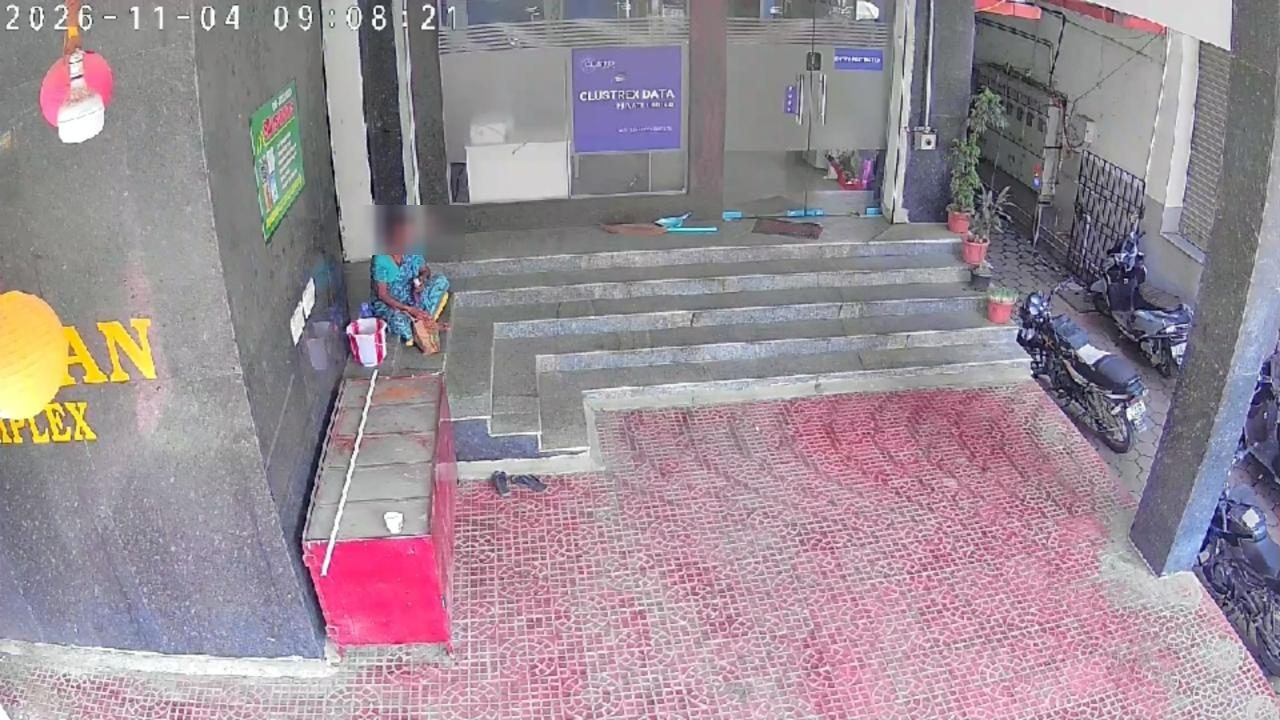
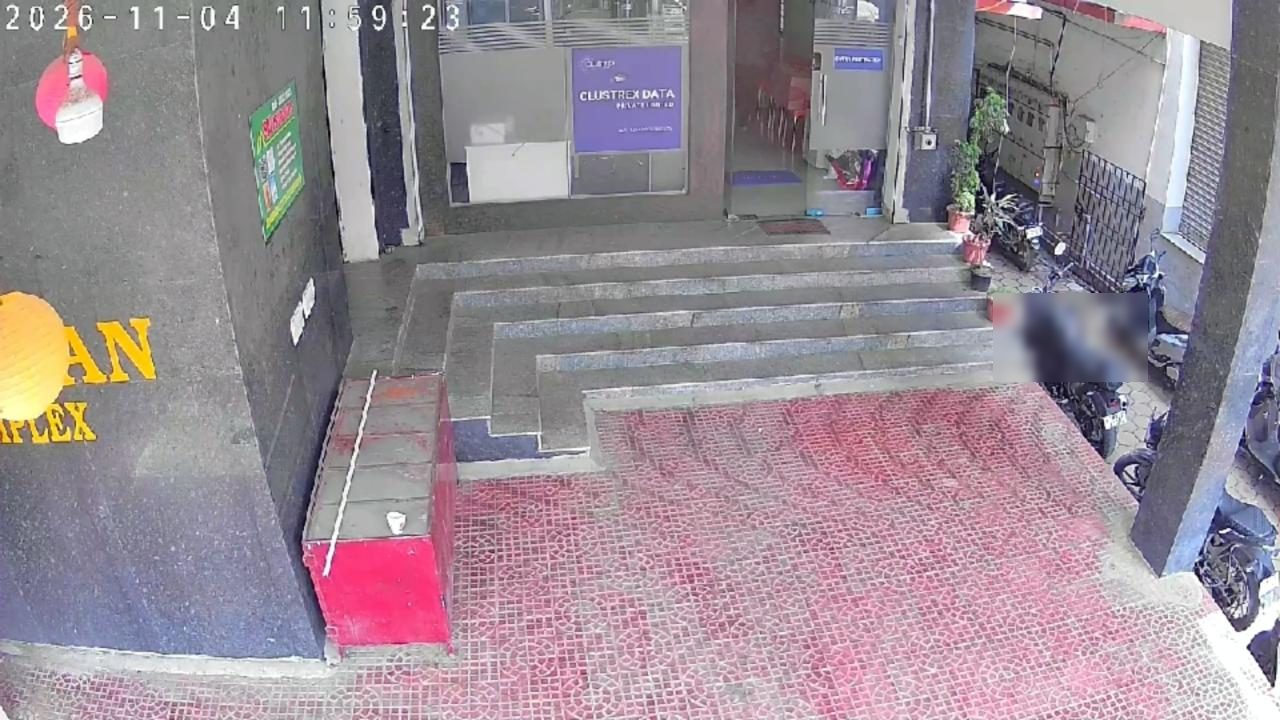
Unstaged recordings from the entrance camera. Every face on this page is blurred. The boxes come from the system’s own model, and the red bar names the alert for that moment.
At 8:29 AM the shutter is raised. The system keeps sampling it and only commits to a new state once enough samples agree. The “Opened” alert then reached Chat, together with a strip of who was at the door while it went up.
Security Alert - U1 Office Ground Floor OpenedA container on its own is ignored, because a tiffin left on the bench should not fire. The alert only goes out when a person and a food container are seen close together for a few seconds, and only once a day. If nothing arrives by the cut-off time, a “Food not arrived” alert goes out instead.
Food Alert: Food Arrived at U1 OfficeA detector can’t see a closed laptop held flat against someone’s side. So for each finished entrance clip, a small vision-language model running locally is asked what each person is holding. In the first test, this walk-past came back as “Laptop” and crops of ordinary visitors raised nothing.
Security Alert - U1 Office Ground Floor Office Property Carried at Entrance (Laptop)Overnight, anyone who stays in view of the entrance camera raises an alert. The camera switches to infrared after dark, so the same model keeps working at night.
Security Alert - U1 Office Ground Floor Person Outside After Hours03 / Every alert
Each card below is a real alert the system posted to our Google Chat, shown with its subject line.
ShutterEvery change between fully open, partly open and fully closed is reported, with a strip showing who was there. On weekends, a shutter left half open raises a maintenance alert.
Security Alert - U1 Office Ground Floor Closed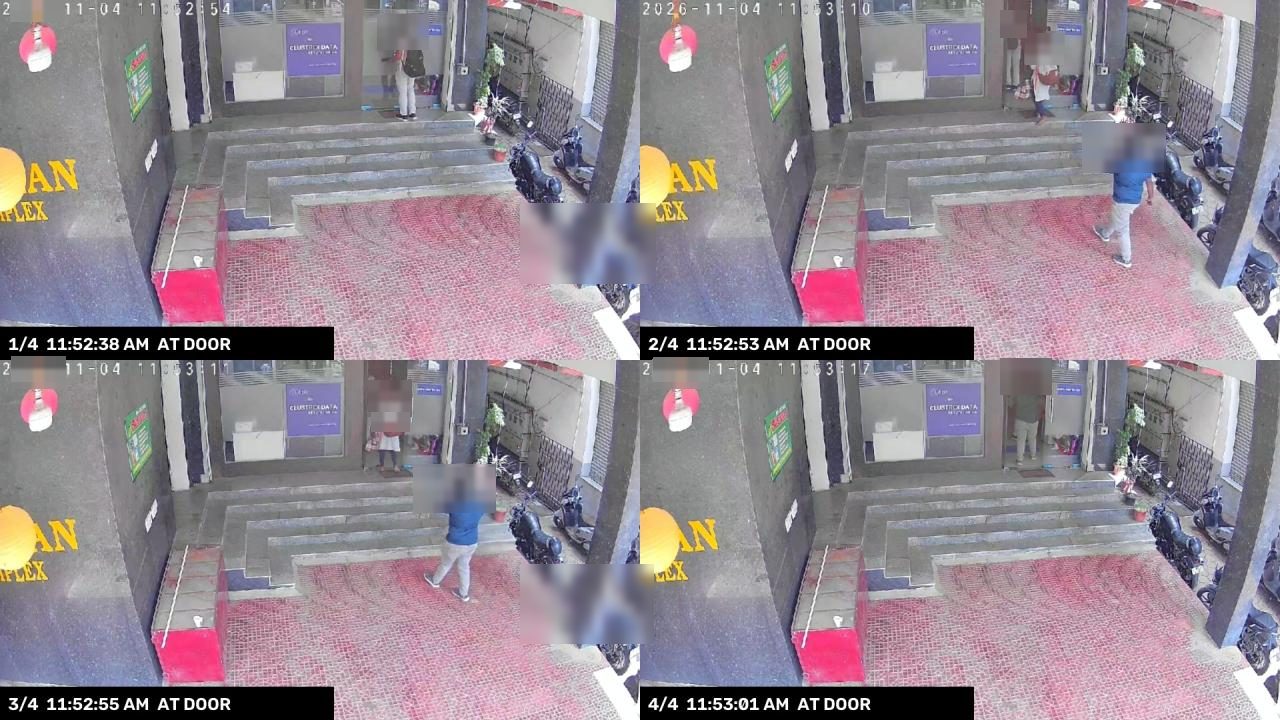 Glass door
A wall-clock timer starts the moment the door is seen open, so a blocked view or a flickering detection doesn’t reset it. After 5 minutes the alert goes out, with the frames of whoever opened the door.
Security Alert - U1 Office Ground Floor Glass Door is Opened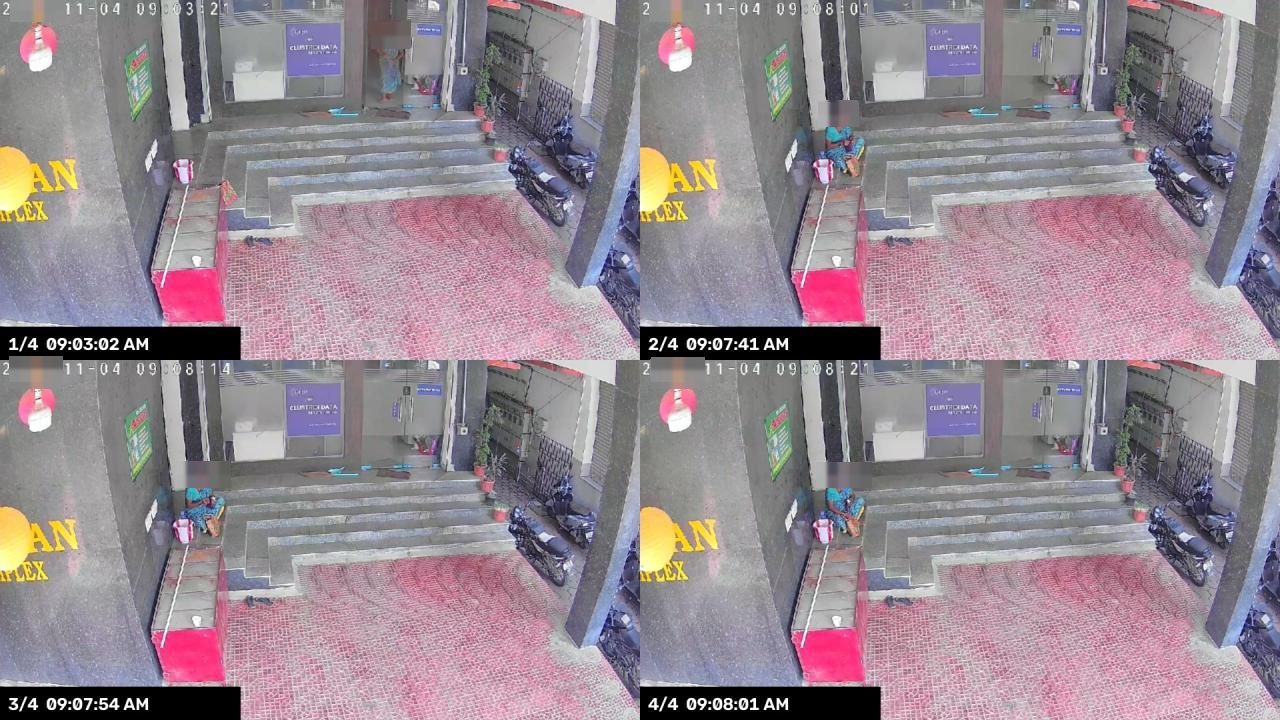 Entrance
Someone sitting or waiting at the entrance for more than five minutes. The alert comes with a strip of four frames covering the whole visit.
Security Alert - U1 Office Ground Floor Person at Entrance 5+ min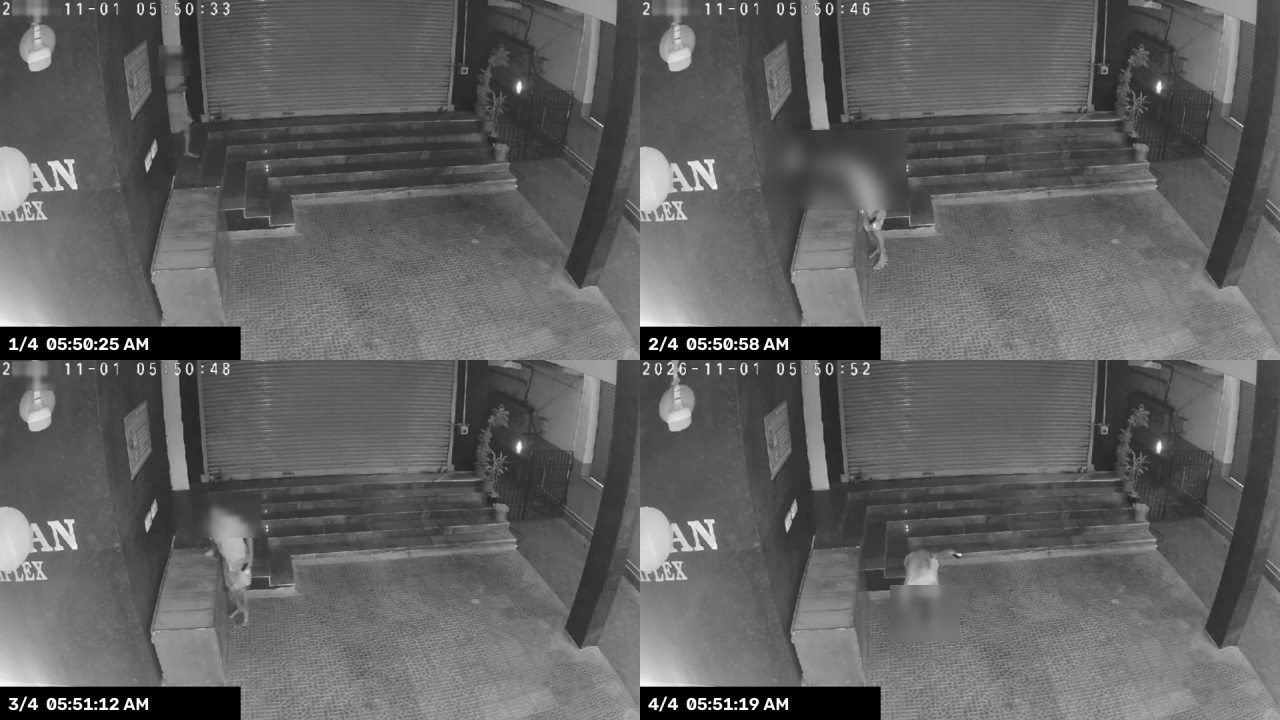 After hours
Overnight, anyone who stays at the entrance raises the alert. Inside the office, anyone seen during closed hours raises one too.
Security Alert - U1 Office Ground Floor Person Outside After Hours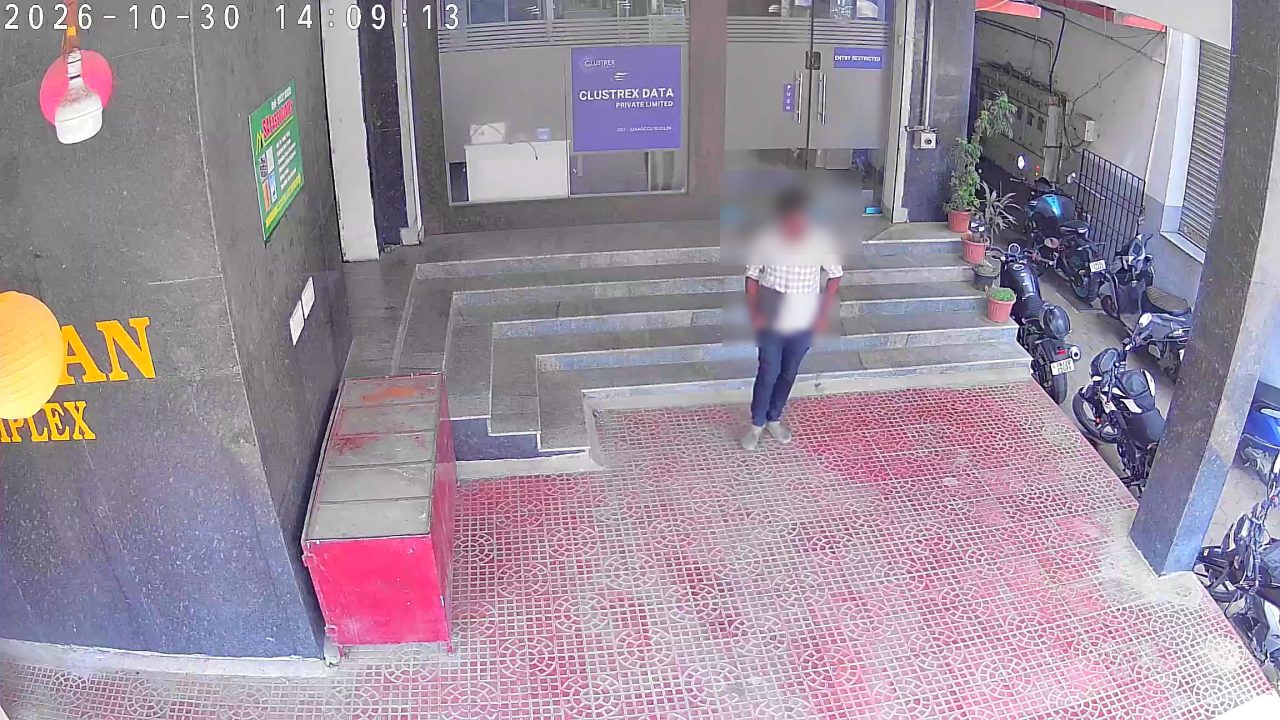 Property
Laptops, keyboards, monitors and cardboard boxes leaving through the entrance. Lunch boxes and tiffins are excluded.
Security Alert - U1 Office Ground Floor Office Property Carried at Entrance (Laptop)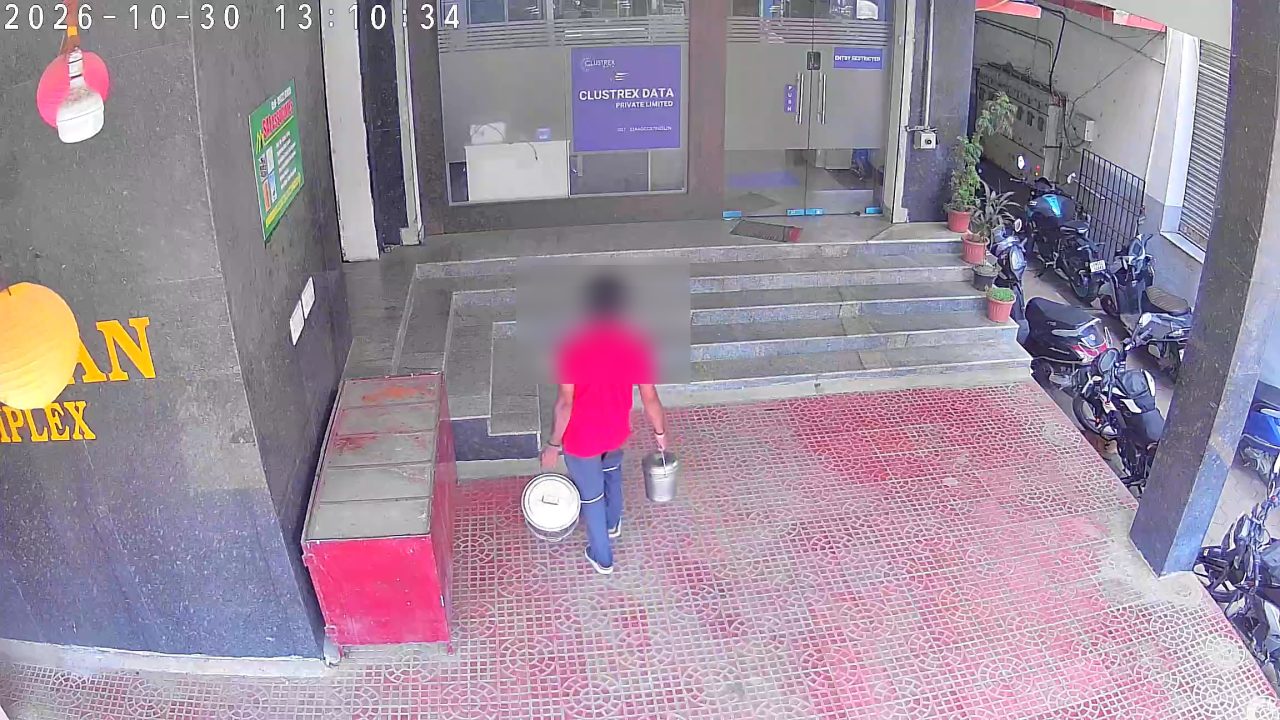 Food
One “arrived” message per day when the delivery reaches the door. If the delivery window closes with nothing seen, a “not arrived” alert is sent instead.
Food Alert: Food Arrived at U1 Office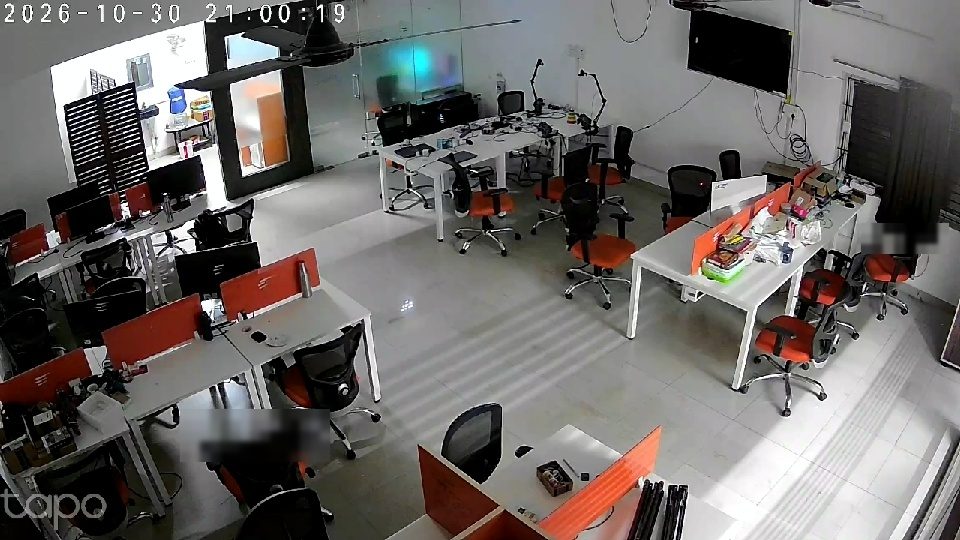 Safety
Once nobody has been on the floor for a while, the inside cameras check whether the lights are still on, at lunch and after 9 PM. The message asks someone to switch off the lights, fans and AC.
Security Alert - U1 Office Ground Floor Lights Left ON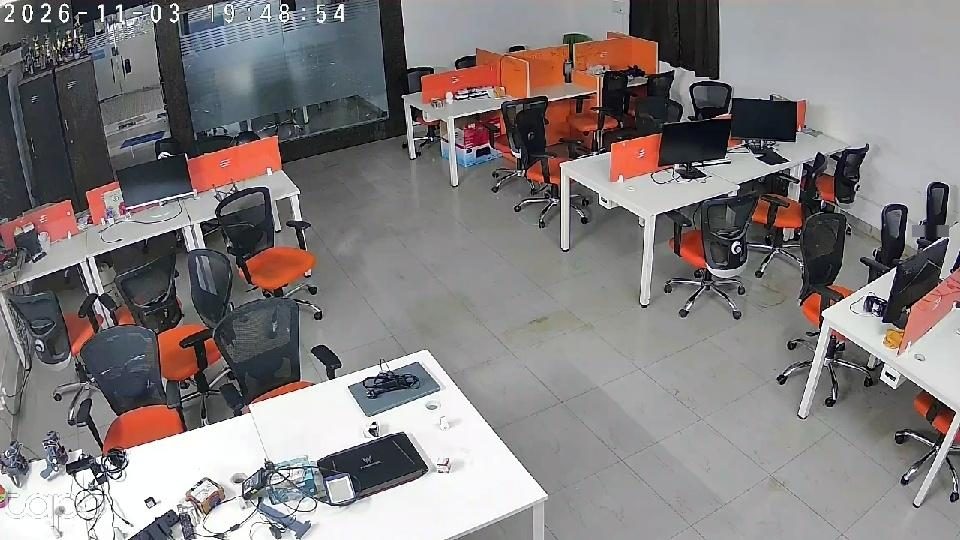 Office
A stopwatch for each zone counts the minutes with nobody present. Once everyone has gone for lunch or for the night, a reminder goes out to check the fans, lights and AC. It is sent once per window and won’t repeat until someone has come back and left again.
Security Alert - U1 Office Ground Floor Entire Room is Empty Camera health
A camera that drops out is cut from the pipeline without stopping the others, and reconnected once it’s back. Offline emails repeat until it’s back. A covered or turned camera is caught by comparing its view with a daytime reference.
Clustrex Security Alert - Main Entrance Camera - Went Offline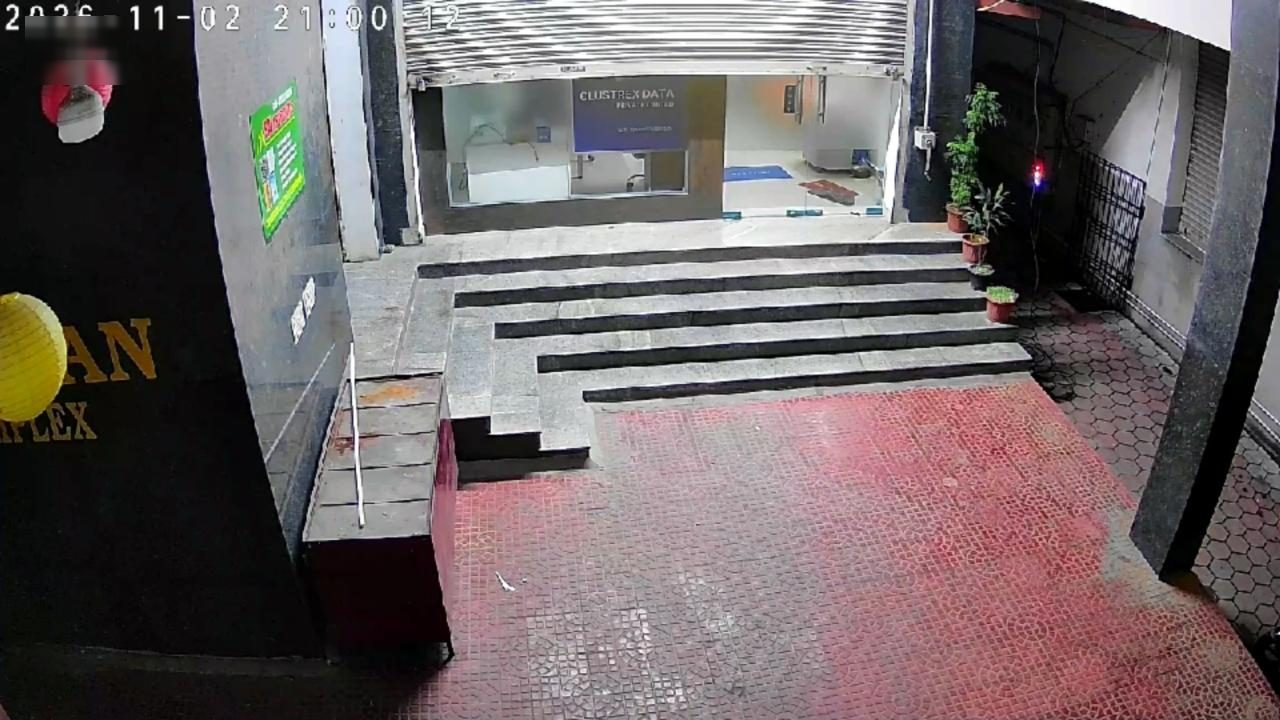 Night report
Every night at 9 PM: shutter, door, inside cameras and lights in one message, with a photo from each camera. The subject line says plainly whether the office is still open.
Clustrex Night Report - U1 Office Ground Floor - OFFICE STILL OPENDetection, tracking and every rule run on the device on the office network. Only the alert text and its photo go out to Chat.
Ask the System
Mention the bot in the team’s Google Chat space and it answers from the live pipeline, with photos. It runs on a small Apps Script relay and needs no extra cloud billing.
What you can ask
statusShutter, door, food, cameras and inside lights, with photosshutterThe shutter right now and every change todaydoorThe glass door right now and who was at it lastlunchWhether the food has arrived todayphotoLive photos from every cameracamerasWhich cameras are onlinealertsToday’s alerts, in order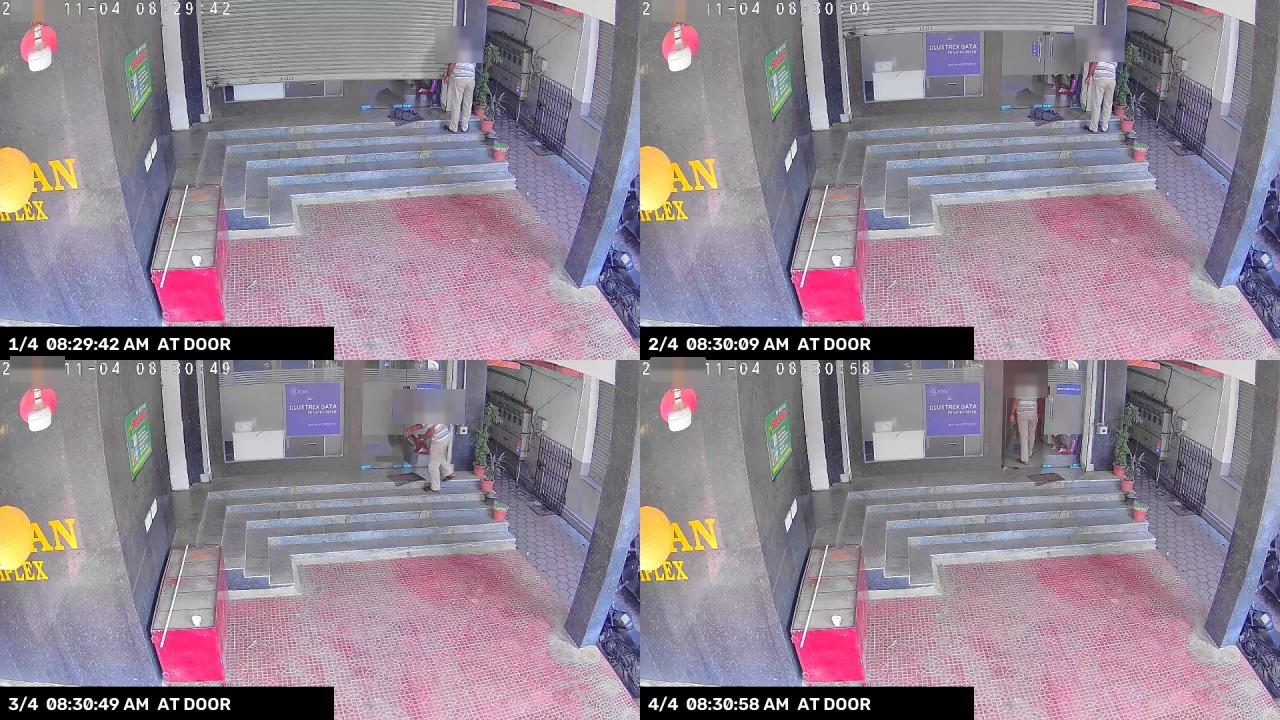
Built to Stay Up
01
A camera that disconnects is cut out and the grid reflows. The other cameras keep detecting without a pause.
02
A regular network check sees when the camera is back, then plugs it into the running pipeline with recording intact.
03
The door timer, shutter state and daily food flag live in a small on-disk store. A reboot carries on where it stopped.
04
On shutdown it waits for pending Chat and email messages and finishes writing recordings, so clips aren’t corrupted.
05
When a person is seen, the camera’s own H.264 stream is saved straight to MP4, bypassing the GPU and costing almost no CPU.
06
Everything ships in one image that restarts on failure, and the device reboots itself on a schedule.
04 / Limits and Next Steps
This system runs every day at our own office. These are the gaps we know about.
The Orin Nano has no NVENC, so the annotated live stream is encoded on the CPU. That caps how many cameras one device can show live.
Laptops are covered. Keyboards and cardboard boxes still need staged walk-pasts before they can be trusted.
Shutter, door and floor zones are drawn once for each camera, and a camera that moves needs them redrawn.
Entrance frames are already labelled, so the main detector can learn carried items and drop the second model.
The day’s timeline of shutter, door, visitors and alerts on one page, next to the Chat bot.
Retail shutters, warehouses and clinics follow the same pattern of entrance, shutter and after-hours rules.
Send the same alert with its photo to the owner’s phone, for sites that don’t use Google Chat.
See what Korv Glanz would watch at your site, using the cameras you already have.
Tell us a little about your premises and our team will get in touch.